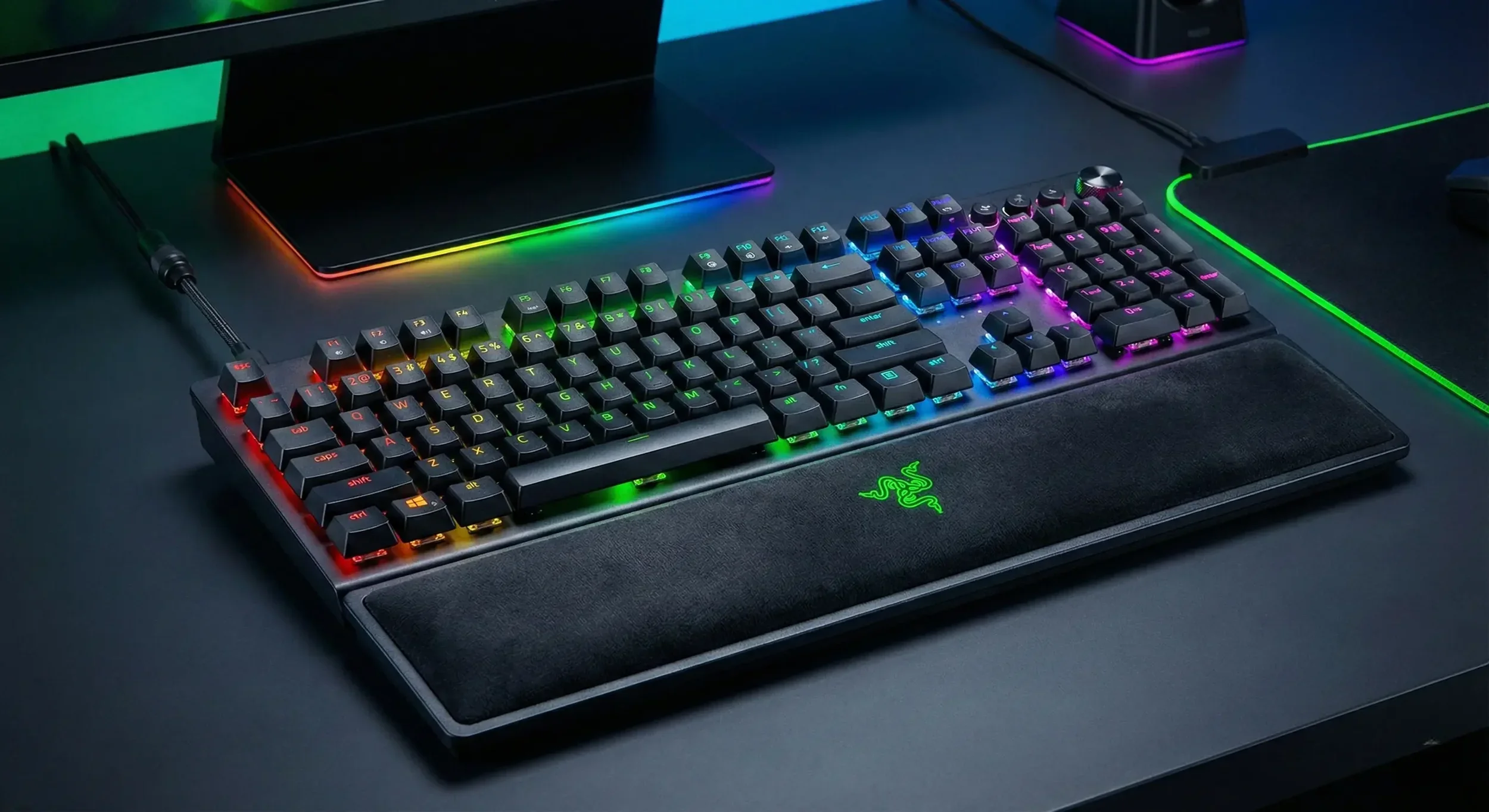
As we approach 2026, gaming hardware has reached unprecedented levels of performance. High-end GPUs deliver photorealistic graphics, monitors refresh at lightning speeds, and ultra-lightweight mice offer precision tracking. Yet many gamers overlook one critical component that directly impacts every action they take: their keyboard.
If you’re still using a membrane keyboard, you’re creating an unnecessary bottleneck between your reflexes and your performance. The mechanical vs. membrane keyboard debate has evolved significantly, and the evidence overwhelmingly favors mechanical switches especially with recent technological advances in Hall Effect sensors, Rapid Trigger functionality, and affordable hot-swappable designs.
This comprehensive guide breaks down why mechanical keyboards have become essential for serious gaming in 2026, and why membrane technology simply can’t compete anymore.
 PS6 Delay: AI’s RAM Hunger Could Push PlayStation 6 Past 2027
 Table of Contents
The Membrane Defense: Cheap, Quiet, and Terrible
Membrane keyboards operate on a straightforward mechanism: two conductive plastic sheets separated by a spacer layer, with rubber domes positioned beneath each key. When you press a key, the rubber dome compresses, forcing the two sheets to make contact and register the input.
The Fundamental Problems with Membrane Technology
Complete Key Travel Required: Membrane keyboards require full depression to register inputs. You must bottom out every keystroke, pressing the key completely down until the rubber dome contacts the base plate.
This design creates several critical issues for gaming performance:
Tactile Feedback Problems: The squishy, undefined feel offers no clear actuation point. Players receive inconsistent feedback that makes precise timing difficult.
Increased Finger Fatigue: Forcing full key travel on every press means your fingers work harder than necessary during extended gaming sessions. This extra effort accumulates over hours of gameplay.
Performance Degradation: Rubber domes harden, crack, and wear unevenly over time. After heavy use, frequently pressed keys like WASD feel completely different from rarely used keys, creating inconsistent input response across your board.
Ghosting and Input Limitations: Budget membrane keyboards typically share electrical circuits across multiple keys. When you attempt complex simultaneous inputs strafing while sprinting and switching weapons the keyboard may fail to register the third or fourth key press. This input limitation can literally cost you kills in competitive scenarios.
When Membrane Makes Sense
Membrane keyboards do offer specific advantages: they’re typically splash-resistant, budget-friendly (often under $20), and operate quietly. For office environments or extremely tight budgets, they serve a purpose. However, these benefits don’t translate to gaming performance advantages.
 How to Safely Clean Your PC: The Ultimate Maintenance Guide To Stop Overheating
 The Mechanical Supremacy: Precision Engineering
Mechanical keyboards fundamentally differ from membrane designs. Each key contains an independent mechanical switch with dedicated springs, stems, and contact points no shared circuits or rubber membranes involved.
Why Mechanical Switches Dominate Gaming
Adjustable Actuation Points: Mechanical switches don’t require full travel. A typical switch might have 4mm total travel but activates at the 2mm point. This partial actuation allows faster key presses, quicker reactions, and reduced finger strain.
Long-Term Consistency: Quality mechanical switches maintain identical feel and performance from installation through 50-100 million keystrokes. The tactile experience on day one matches day 1,000.
True N-Key Rollover: Mechanical keyboards with proper NKRO (N-Key Rollover) register every simultaneous key press without limitation. No ghosting. No missed inputs. No circuit sharing compromises.
 ASUS Rumored to Start Making DRAM: The Truth Behind the Crazy Price Crisis
 The 2026 Meta: It’s Not Just “Mechanical” Anymore
The mechanical keyboard landscape has transformed dramatically since 2020. Standard Cherry MX switches, while still excellent, now represent entry-level technology. Three major innovations define competitive gaming keyboards in 2026:
1. Hall Effect & Magnetic Switch Technology (Top Tier Performance)
Hall Effect keyboards like the Wooting 60HE, Razer Huntsman V3 Pro, and SteelSeries Apex Pro use magnetic sensors instead of physical contact points to detect key presses.
Software-Adjustable Actuation: Without physical contact requirements, you can customize each key’s activation distance through software. Set WASD keys to activate at 0.1mm for instant movement response, while setting ability keys to 3.5mm to prevent accidental activation.
Rapid Trigger Technology: This game-changing feature resets keys the instant you begin releasing them, enabling input speeds impossible with traditional mechanical switches. In tactical shooters like Counter-Strike 2 and Valorant, Rapid Trigger provides significant competitive advantages for counter-strafing and movement techniques.
Extended Lifespan: No physical contact means virtually unlimited switch lifespan—no wear on metal contact points that eventually degrade traditional mechanical switches.
2. Optical Switch Innovation
Optical mechanical switches use light beams to detect key presses. This contactless design eliminates debounce delay entirely, providing the fastest possible input registration. Switches last indefinitely since light beams don’t wear out.
3. Hot-Swappable PCB Boards
Modern mechanical keyboards should feature hot-swappable switch sockets unless using permanent Hall Effect sensors. Hot-swap capability lets you remove and replace individual switches without soldering.
This modularity transforms your keyboard into a long-term platform. Dislike your spacebar feel? Swap in a heavier switch. Want quieter typing? Replace clicky switches with silent alternatives. Your keyboard evolves with your preferences instead of becoming obsolete.
The “Mem-chanical” Scam
Beware keyboards marketed as “Mem-chanical,” “Hybrid,” or “Semi-mechanical.” These are membrane keyboards with plastic clickers added to simulate mechanical sounds. They deliver membrane mushiness with added noise the worst of both worlds.
This marketing targets uninformed buyers, particularly gift-purchasers who don’t understand keyboard technology. Always verify actual mechanical switches before purchasing.
THE 2026 KEYBOARD SHOWDOWN
Compare the specifications that matter for gaming performance:
| FEATURE | MEMBRANE | MECHANICAL (2026 STANDARD) |
|---|---|---|
| Tactile Feel | Mushy, undefined, requires complete travel | Crisp, consistent, activates before bottoming out |
| Response Speed | Slow reset, higher latency | Instant reset (Rapid Trigger/Optical) |
| Switch Lifespan | 5-10 million presses, rubber degrades | 50-100 million presses, consistent performance |
| Simultaneous Inputs | 2-6 keys (ghosting common) | N-Key Rollover (unlimited simultaneous presses) |
| Customization | Zero – fixed configuration | Switches, keycaps, cases, cables, firmware |
| Price Range | $10-$50 | $40-$300+ (quality entry models ~$50) |
The Verdict: It’s Not Even Close
The price barrier that once justified membrane keyboards has disappeared in 2026. Quality mechanical keyboards from Keychron, Redragon, and Royal Kludge start under $50 comparable to mid-range membrane options.
For competitive gaming, accurate input registration isn’t optional. When your brain sends movement commands, your keyboard should execute them precisely and instantly. Mechanical switches deliver this reliability; membrane technology fundamentally cannot.
Competitive shooter players should prioritize Hall Effect or optical switches for maximum performance. The membrane keyboard served its purpose through the 1990s and early 2000s, but that era has ended. Today’s gaming demands don’t accommodate input lag, ghosting, or inconsistent actuation points.
Upgrade to mechanical. Your performance metrics will reflect the difference immediately.