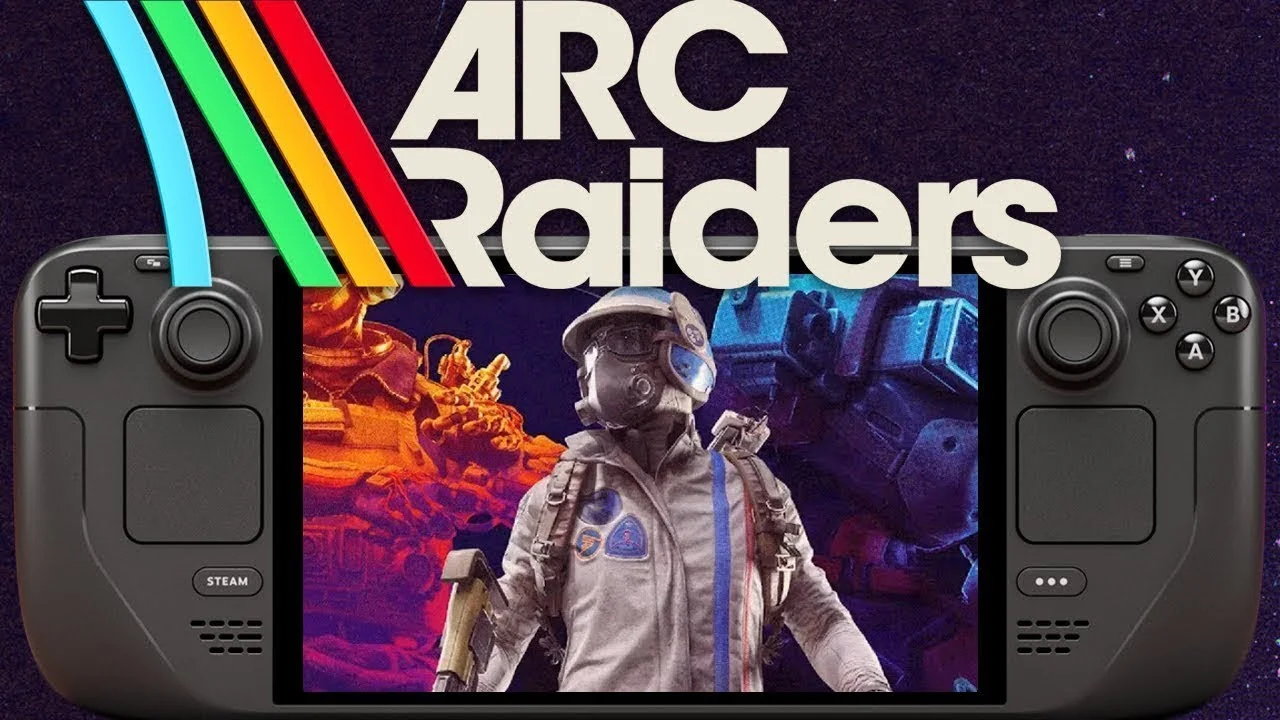
You would think a “Steam Deck Verified” badge means you can just press play, but we all know that is a beautiful lie.
I have been obsessed with ARC Raiders lately. It is the extraction shooter I didn’t know I needed, and trying to run it on Valve’s handheld has been equal parts rewarding and frustrating. Embark Studios delivered one of 2025’s biggest multiplayer hits with over 4 million copies sold and 700,000 concurrent players at peak, but getting ARC Raiders on Steam Deck to cooperate? That took some effort.
Sure, the game earned official Verified status in November 2025 thanks to Proton 10.0-3, but it still loves to throw tantrums, black screens, and random crashes right when you are loading in. After trawling through Reddit threads, testing every setting until my battery cried for mercy, and rebuilding my Proton configuration more times than I care to admit, I finally found a setup that actually holds a steady framerate.
 My Winter Car Firewood Cutter Guide: How To Attach And Use It?
 Table of Contents
Key Takeaways :
- ARC Raiders is officially Steam Deck Verified but requires manual Proton configuration for best results
- Use Proton Experimental or Proton 10.0-3 to fix most launch crashes
- Target 40 FPS with Low/Balanced graphics and AMD FSR 3 for smooth gameplay
- The touchscreen “No” trick bypasses the AMD driver popup that crashes many players
- Lossless Scaling via Decky Loader can boost perceived FPS but adds input lag
Why ARC Raiders on Steam Deck Actually Works Now
Before we dive into settings, let me explain why this game went from “barely playable” to “surprisingly good” on the Deck. The extraction shooter genre has historically been brutal on handhelds. Games like Escape From Tarkov never officially supported portable play, and even lighter alternatives struggled with the Steam Deck’s APU limitations.
ARC Raiders changed that equation in November 2025 when Valve released Proton 10.0-3. This update included specific fixes for Embark’s title, addressing the Easy Anti-Cheat handshake issues and dialog box crashes that plagued early adopters. The game now boots reliably on SteamOS, supports the Deck’s native 16:10 aspect ratio, and defaults to appropriate Low settings automatically.
That said, “works” and “works well” are different conversations. If you have been wondering why your ARC Raiders Steam Deck experience involves more crashes than extractions, you are in the right place. The recent security incidents affecting online shooters have made me appreciate stable multiplayer experiences even more, and getting ARC Raiders running smoothly has become my personal mission.
 Pokémon GO New Year’s 2026 Event: Your Complete Guide to Maximizing Rewards
 ARC Raiders Steam Deck Not Launching? Here’s the Fix
The most common complaint I see on Reddit and Steam forums is players getting stuck before the main menu. You press play, maybe see a logo, then nothing. Black screen. Crash to desktop. It is infuriating.
The culprit is usually one of three things: wrong Proton version, an AMD driver popup, or corrupted game files. Let me walk you through each fix.
Setting the Right Proton Version
Don’t leave this on auto. Go into your Steam Library, highlight ARC Raiders, and press the Options button (three horizontal lines). Navigate to Properties, then the Compatibility tab. Check the box that says “Force the use of a specific Steam Play compatibility tool.”
You have two solid choices here:
- Proton 10.0-3: The stable version that earned ARC Raiders its Verified status. Most players should start here.
- Proton Experimental: Contains the latest fixes including patches for dialog box issues and shader compilation stutters. I personally use this one.
Previously, players had to rely on community builds like Proton GE (created by developer Glorious Eggroll) to get the game running at all. Those workarounds are still available if you need them, but the official Proton versions now handle ARC Raiders reliably for most setups.
The “No” Trick for AMD Popups
This is stupid, but it works. Sometimes an AMD warning appears during the boot sequence telling you that your GPU drivers are outdated. This message is designed for Windows desktop users and has no business appearing on SteamOS, but here we are.
The fix? Use the touchscreen to tap “No” or “Cancel” on that dialog. Seriously, don’t try using the controller buttons or the D-pad. Multiple users on Reddit confirmed that selecting the option with buttons causes a crash, while tapping the touchscreen works perfectly. I cannot explain why, but I can confirm it saved me hours of frustration.
Verify Your Game Files
If you are still stuck on a black screen, verify your game cache. Go to Properties, then Installed Files, and select “Verify integrity of game files.” This process takes a few minutes but fixes the black screen issue about half the time according to community reports. Corrupted downloads during large patches seem to be the main culprit.
One more thing: turn off any external overlays or frame injection tools while troubleshooting. Things like MangoHud or third-party recording software can conflict with Easy Anti-Cheat. Get the game stable first, then add extras.
 EU5 Markets Guide: Stop Bleeding Ducats
 ARC Raiders Steam Deck Best Settings for Performance
You are not going to be playing this on Ultra. Let’s be real. The Steam Deck’s AMD APU punches above its weight class, but Unreal Engine 5 games demand compromises on handheld hardware. Your goal is smooth movement so you don’t get clapped by a raider you couldn’t see because your screen was tearing.
After extensive testing, here are the exact settings that gave me consistent 40 FPS without making the game look like a muddy mess.
Recommended ARC Raiders Steam Deck Settings
| Setting | Value | Why |
|---|---|---|
| Resolution | 1280×800 (Native) | Matches Deck’s display, no black bars |
| Graphics Preset | Low or Balanced | Best performance baseline |
| Upscaling | AMD FSR 3 (Performance or Balanced) | Significant FPS boost with acceptable image quality |
| Frame Target | 40 FPS / 40Hz | Smoother than 30, achievable on Low |
| V-Sync | On (in-game) | Reduces tearing without SteamOS cap issues |
| View Distance | Medium | Spotting enemies matters more than distant details |
 How to Fix DXGI_ERROR_DEVICE_HUNG in ARC Raiders
 The upscaling choice matters more than you might think. The game defaults to TAAU (Temporal Anti-Aliasing Upscaling), which works fine but leaves performance on the table. Switching to AMD FSR 3 set to Balanced mode gives you noticeably sharper image quality while maintaining better framerates. I found FSR 3 on Performance mode looked too soft for spotting enemies at distance, so Balanced hits the sweet spot.
SteamOS Performance Settings
Beyond in-game options, you should configure the Steam Deck’s Quick Access Menu for optimal results:
- Refresh Rate: 40Hz (matches your 40 FPS target for consistent frame pacing)
- Framerate Limit: Off (let the game handle this internally)
- Manual GPU Clock: Enable and set to 1600 MHz for stability during intense fights
- TDP Limit: Leave at default or increase to 15W if you’re plugged in
The Manual GPU Clock tip comes from multiple community guides. Setting it to 1600 MHz prevents the GPU from throttling during heavy combat, which causes stuttering when the Deck tries to save power mid-firefight. If you notice frame drops during PvP encounters, this setting often solves it.
 My Winter Car Phone Guide: All Numbers, Locations & How to Call (2026)
 Lossless Scaling: The Secret Weapon for Better FPS on Steam Deck
If you are willing to tinker beyond basic settings, there is a way to fake better performance using frame generation. It involves a tool called Lossless Scaling and a community plugin that makes it work on Linux.
Fair warning: this is not a magic bullet. Frame generation adds artificial frames between real ones, making motion look smoother. The trade-off is input lag, which matters in a PvP shooter like ARC Raiders. That said, for material grinding runs or PvE-focused sessions, the visual improvement is genuinely impressive.
Installing Lossless Scaling via Decky Loader
The Steam Deck doesn’t support every upscaling trick natively, but the community built a workaround using Decky Loader. Here’s how to set it up:
- Switch to Desktop Mode: Hold the power button and select “Switch to Desktop Mode.”
- Install Decky Loader: Open a browser, go to decky.xyz, and download the installer. Run it and follow the prompts. You may need to set a sudo password if you haven’t already.
- Purchase Lossless Scaling: The app costs about $7 on Steam. Install it normally. It will crash if you try to open it, but the files it downloads are required.
- Install the LSFG-VK Plugin: Download the plugin from GitHub (search for “decky-lsfg-vk releases”), then install it through Decky Loader’s Developer Mode using the “Install Plugin from ZIP” option.
- Add the Launch Command: Copy the launch option from the plugin (usually
~/lsfg %command%) and paste it into ARC Raiders’ Steam Properties under Launch Options.
Once configured, you can access Lossless Scaling settings through the Decky menu in the Quick Access overlay.
Best Lossless Scaling Settings for ARC Raiders
Because Lossless Scaling works by processing extra frames, you should first get a stable base FPS using the in-game settings I described earlier. Once you are hitting a consistent 30-40 FPS natively:
- Flow Scale: 0.7 to 0.8 (70-80%) for balance between smoothness and performance
- Frame Generation: 2x (higher multipliers overwhelm the Steam Deck)
- Display Mode: Borderless Fullscreen (required for the plugin to work)
- Performance Mode: Enabled
With these settings, the game looks incredibly fluid, almost like you are running at 60 FPS. The difference during exploration and looting is noticeable. However, I turn frame generation off during hot drops or PvP encounters because that tiny input lag can get you killed. Test it in a safe zone first and decide if the trade-off works for your playstyle.
If you enjoy resource management games and want to take a break from extraction stress, the automation systems in MineMogul offer a completely different but equally addictive loop.
 My Winter Car Editor Guide: MSCEditor Setup, Cheats & Save File Fixes (2026)
 Battery, Heat, and Network Performance
Let’s talk about the elephant in the room: ARC Raiders eats battery life like I eat free snacks at press events. On default settings, expect about 90 minutes to two hours of playtime on a fully charged Steam Deck LCD. The OLED model fares slightly better but still drains rapidly due to constant GPU utilization.
Battery Optimization Tips
- Play plugged in whenever possible, especially for longer sessions
- Lower brightness to 50% or less
- Disable WiFi when not actively matchmaking (use airplane mode between raids)
- The 40 FPS cap is more battery-efficient than chasing 60
- If using Lossless Scaling, expect even faster drain from frame generation overhead
Managing Heat
ARC Raiders pushes the Steam Deck’s APU hard, which means heat becomes a factor in extended sessions. If you notice throttling (sudden FPS drops after 30+ minutes), try these fixes:
- Play in a cooler environment or point a fan at the Deck
- Set TDP limit to 12W instead of default to reduce heat output
- Take breaks between raids to let the system cool
- Consider a third-party cooling accessory if you play for hours daily
Network Performance for Online Play
As an always-online extraction shooter with Easy Anti-Cheat, ARC Raiders requires a stable internet connection. WiFi performance on Steam Deck is generally solid, but I recommend:
- 5GHz networks over 2.4GHz for lower latency
- Staying within strong signal range (weak WiFi causes rubber-banding)
- Testing matchmaking on your home network before going mobile
- Having patience during initial shader compilation (first few matches may stutter)
The good news? Once shaders compile, subsequent sessions load much faster. Embark’s servers have handled the 700,000 concurrent player load reasonably well since launch, though peak hours occasionally see queue times.
 Octopath Traveler 0 Beginner’s Guide: 15 Essential Tricks to Survive the Grind
 Controller Layout and Gyro Configuration
One of ARC Raiders’ strengths on Steam Deck is solid native controller support. The default layout works surprisingly well, and I recommend sticking with it rather than diving into community configurations. That said, there are a few tweaks worth considering.
Gyro Aiming
The Steam Deck’s gyroscope can supplement stick aiming for finer precision. To enable it:
- In Gaming Mode, press the Steam button and select Controller Settings
- Choose “Edit Layout”
- Navigate to Gyro settings
- Set Gyro Behavior to “As Joystick” or “As Mouse” (experiment with both)
- Adjust sensitivity to your preference (I use Low sensitivity for micro-adjustments)
- Set activation to “Right Pad Touch” so gyro only engages when aiming
Gyro aiming takes practice but gives you an edge in mid-range engagements where stick aiming struggles. It won’t replace mouse and keyboard precision, but it closes the gap significantly.
Trackpad Usage
Some players use the right trackpad as a secondary aiming input. Fair warning: community reports indicate that trackpad use with Lossless Scaling’s frame generation can cause frame drops. If you rely on trackpad aiming, test thoroughly before committing to a high-stakes raid.
 Cloudheim guide: How classes, weapons, and XP work together with pinball combat
 Known Issues and Workarounds
Even with optimal settings, ARC Raiders on Steam Deck has some quirks. Here are the issues I’ve encountered and how to handle them:
- Audio Cutting Out: Some players report audio dropouts during intense fights. Lowering audio quality in settings can help. Restart the game if it persists.
- Crashes When Changing Graphics Settings: Make changes from the main menu, not mid-match. Adjusting settings during gameplay causes instability.
- Long Initial Load Times: First launch after updates takes several minutes for shader compilation. Be patient.
- Cloud Save Delays: Steam Cloud sync occasionally lags. Wait for the sync icon to finish before closing the game.
- Proton 10.0.3 Regression: A recent Proton update caused crashes for some players. If affected, try Proton Experimental or Proton Hotfix as alternatives.
For the most part, once you get past initial setup, ARC Raiders runs reliably. The issues above are edge cases that don’t affect every player. The extraction shooter community has been incredibly helpful documenting solutions, so checking Reddit or the Steam forums usually yields quick answers.
Speaking of community-driven solutions, tracking down resources in ARC Raiders mirrors the challenge of finding Rusted Gears for weapon upgrades. Knowing where to look makes all the difference.
 Octopath Traveler 0 Complete Weapon Database (2026)
 Comparison: ARC Raiders vs Other Extraction Shooters on Steam Deck
How does ARC Raiders’ portable performance stack up against competitors? Here’s my experience with similar titles:
- The Finals: Also by Embark Studios, runs similarly well. Slightly better optimization since it launched with Linux support earlier.
- Helldivers 2: Better overall performance but different genre (co-op shooter vs extraction). Easier on battery.
- Dark and Darker: Works on Deck but with more stability issues than ARC Raiders post-Proton 10.
- Escape From Tarkov: No official Deck support due to anti-cheat. Playable through workarounds but risky.
ARC Raiders sits comfortably in the “surprisingly good” tier of Deck performance for its genre. Embark’s experience with Unreal Engine 5 shows in the game’s optimization, and the Proton team’s targeted fixes demonstrate Valve’s commitment to bringing major releases to handheld. If you have been waiting for a proper extraction shooter on Steam Deck, this is currently your best option.
The accessibility improvements remind me of how Cloudheim approached early access by making a challenging genre more approachable without losing depth.
 MineMogul Beginner’s Guide: How To Go From Pickaxe Peasant To Industrial Tycoon
 Why I Play ARC Raiders on Steam Deck
Honest truth? Once I got these settings locked in, the Steam Deck became my favorite way to grind materials. The controls map surprisingly well, the smaller screen makes spotting distant enemies slightly easier due to higher effective pixel density, and being able to do a quick raid from the couch is dangerous for my productivity.
ARC Raiders hits differently on handheld. The tension of an extraction shooter translates perfectly to sessions where you might only have 30 minutes to play. Drop in, loot some plastics, maybe fight off a patrol, and extract before dinner. It’s the perfect pickup-and-play loop for a game designed around quick raids.
Just keep your charger handy. This game will drain your battery faster than your patience with random squad mates who shoot first and ask questions never.
 McDonald’s Pokemon Cards 2026: Complete 30th Anniversary Guide
 Final Thoughts
ARC Raiders on Steam Deck went from “frustrating mess” to “genuinely enjoyable” thanks to Proton 10 updates and some patient configuration. It’s not a perfect experience, and you will need to accept compromises compared to desktop or console play, but the ability to run raids from anywhere makes those trade-offs worthwhile.
If you have been waiting to try Embark’s extraction shooter on Valve’s handheld, now is the time. The game is stable, the community is active, and the developers are committed to ongoing support with new maps, enemies, and content through 2026.
Go give the game a shot on handheld. Just don’t blame me if you get addicted to farming plastic parts at 2 AM while your significant other wonders why the bedroom smells like a slightly overworked laptop.
 My Winter Car How to Call: Complete Phone Guide 2026
 Frequently Asked Questions
Is ARC Raiders compatible on Steam Deck?
Yes, ARC Raiders is officially Steam Deck Verified as of November 2025 following the release of Proton 10.0-3. The game runs natively at 1280×800 resolution and achieves 30-50 FPS on Low settings with proper configuration. You may need to manually set your Proton version and use the touchscreen “No” trick to bypass AMD popups, but once configured, the experience is smooth.
Can Ark be played on a Steam Deck?
If you are asking about ARC Raiders (the extraction shooter by Embark Studios), yes it runs well on Steam Deck after setting up Proton Experimental or Proton 10.0-3. The game requires some initial tweaking but offers a solid portable experience once configured. Note that ARC Raiders is a different game from ARK: Survival Evolved, which has its own separate compatibility considerations.
Can you play ARC Raiders on Steam?
Absolutely. ARC Raiders launched on Steam on October 30, 2025, and has sold over 4 million copies. The game costs $39.99 and is also available on Epic Games Store, PlayStation 5, and Xbox Series X/S. It’s become one of the biggest multiplayer hits of 2025, with peak concurrent player counts exceeding 700,000 across all platforms.
Can you play ARC Raiders on Steam Deck reddit?
The Reddit community confirms ARC Raiders runs on Steam Deck with the right setup. Most users recommend using Proton Experimental, applying the touchscreen “No” trick for AMD popups, and setting graphics to Low with FSR 3 enabled for best results. The r/SteamDeck subreddit has numerous threads with detailed configuration guides and troubleshooting tips from players who have optimized their setups.
 EU5 Government Guide: Societal Values Explained